
Understanding the distinction between Rows vs Columns is fundamental in various fields, including database management, data analysis, and spreadsheet applications. This blog post delves into the intricacies of rows and columns, their significance, and how they are utilized in different contexts. By the end, you will have a clear understanding of how these concepts apply to data organization and manipulation.
What are Rows and Columns?
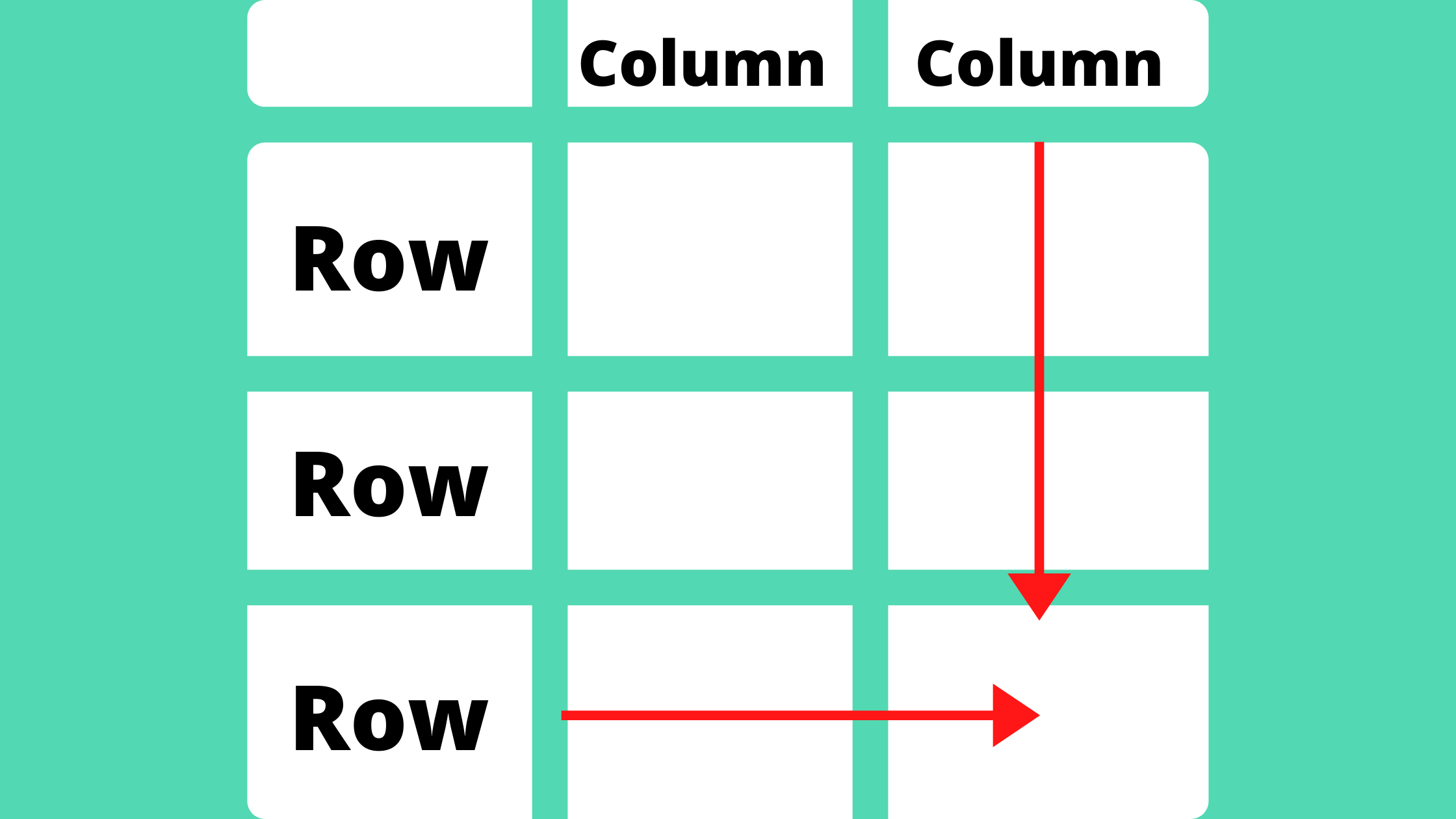
In the context of data organization, rows and columns are the basic building blocks of a table. A row is a horizontal arrangement of data, while a column is a vertical arrangement. Together, they form a grid that allows for the systematic storage and retrieval of information.
Rows: The Horizontal Dimension
Rows are the horizontal lines in a table that contain individual records or entries. Each row represents a single entity or data point. For example, in a spreadsheet, each row might represent a different student, with columns containing details such as name, age, and grade.
Key characteristics of rows include:
- Each row is unique and represents a distinct record.
- Rows are often identified by a row number or index.
- Rows can be added, deleted, or modified as needed.
Columns: The Vertical Dimension
Columns are the vertical lines in a table that contain specific attributes or fields. Each column represents a particular type of data. For instance, in a database, columns might include fields like "First Name," "Last Name," and "Date of Birth."
Key characteristics of columns include:
- Each column has a specific data type, such as text, number, or date.
- Columns are often identified by a header or label.
- Columns can be sorted, filtered, and formatted to enhance data analysis.
Rows vs Columns in Different Contexts
The concepts of rows and columns are ubiquitous in various applications. Let's explore how they are used in different contexts.
Spreadsheets
In spreadsheet applications like Microsoft Excel or Google Sheets, rows and columns are used to organize data for analysis and reporting. Each cell in the spreadsheet is defined by its row and column intersection.
For example, consider a simple spreadsheet with student data:
| Row | Column A | Column B | Column C |
|---|---|---|---|
| 1 | Name | Age | Grade |
| 2 | John Doe | 20 | A |
| 3 | Jane Smith | 22 | B |
In this example, each row represents a student, and each column represents a different attribute of the student.
💡 Note: In spreadsheets, rows are often used for data entry, while columns are used for data categorization.
Databases
In relational databases, rows and columns are used to structure data in tables. Each table consists of rows (records) and columns (fields). For example, a database table for a library might have columns for "Book ID," "Title," "Author," and "Publication Date."
Key points to consider in databases:
- Rows in a database table are often referred to as records or tuples.
- Columns are referred to as fields or attributes.
- Database queries often involve selecting specific rows and columns based on certain criteria.
Data Analysis
In data analysis, rows and columns are essential for organizing and manipulating data. Data analysts often use tools like Python's pandas library to work with data frames, which are essentially tables with rows and columns.
For example, a data frame in pandas might look like this:
| Index | Name | Age | Salary |
|---|---|---|---|
| 0 | Alice | 30 | 70000 |
| 1 | Bob | 25 | 60000 |
In this data frame, each row represents an individual, and each column represents a different attribute of that individual.
💡 Note: In data analysis, rows are often used for observations, while columns are used for variables.
Manipulating Rows and Columns
Understanding how to manipulate rows and columns is crucial for effective data management. Here are some common operations:
Adding Rows and Columns
Adding rows and columns is straightforward in most applications. In spreadsheets, you can insert new rows or columns by right-clicking and selecting the insert option. In databases, you can use SQL commands like INSERT INTO to add new rows.
Deleting Rows and Columns
Deleting rows and columns is also common. In spreadsheets, you can delete rows or columns by right-clicking and selecting the delete option. In databases, you can use SQL commands like DELETE FROM to remove specific rows.
Sorting and Filtering
Sorting and filtering are essential for organizing data. In spreadsheets, you can sort data by clicking on the column header and selecting sort options. In databases, you can use SQL commands like ORDER BY to sort data and WHERE to filter data.
Merging and Splitting
Merging and splitting rows and columns can be useful for data consolidation and analysis. In spreadsheets, you can merge cells by selecting them and choosing the merge option. In databases, you can use JOIN operations to merge data from different tables.
Best Practices for Using Rows and Columns
To effectively use rows and columns, consider the following best practices:
- Consistent Naming: Use consistent and descriptive names for columns to ensure clarity.
- Data Validation: Implement data validation rules to ensure data integrity.
- Indexing: Use indexing for columns that are frequently queried to improve performance.
- Normalization: Normalize data to reduce redundancy and improve data integrity.
By following these best practices, you can ensure that your data is well-organized, easy to manage, and efficient to query.
In conclusion, understanding the distinction between Rows vs Columns is crucial for effective data management. Whether you are working with spreadsheets, databases, or data analysis tools, rows and columns are the foundation of data organization. By mastering the manipulation of rows and columns, you can enhance your data management skills and improve the efficiency of your data-related tasks.
Related Terms:
- difference column and row
- columns vs rows visual
- rows columns difference
- what are rows and columns
- row variables vs column